

Defying Common Sense! Are Projectors Actually More Eye-Friendly Than TVs? 3 Key Truths + Practical Tips to Protect Your Family's Eyesight
2025-11-13
LCD projectors are gaining increasing favor among young consumers. Many envision cozy rest days with their families, enjoying hot pot while being immersed in the expansive projected scenery — a moment that instantly elevates the sense of happiness. For young users, LCD projectors break the limitations of traditional viewing scenarios. They can not only be used for daily entertainment in the living room but also flexibly adapt to diverse needs such as private viewing in the bedroom, interactive gaming, and more. They even empower users to create a personalized home theater space, further expanding the boundaries of at-home audiovisual experiences. And projectors are even generally more eye-friendly than TVs.
I. Three core truths behind this:
1. The Light Battle: Reflected Light is the "Gentle Armor" for Your Eyes
First, it’s essential to understand a fundamental difference: the way these devices emit light is entirely different, and this is the key to their impact on eye comfort.
Televisions use self-illuminating screens—whether LCD, OLED, or MiniLED—where light is emitted directly from the screen into our eyes. It’s like shining a small flashlight directly into your eyes. Even if you dim the brightness, the nature of this "direct light" continues to stimulate the retina. When I used a TV before, my child would rub their eyes after just half an hour, complaining of dryness, and I’d feel eye strain after binge-watching two episodes. Research later revealed that the direct light from TVs causes the pupils to constantly contract, straining the eye muscles and leading to fatigue over time.
In contrast, projectors rely on reflected light for imaging—light is first projected onto a wall or screen, then diffusely reflected before reaching our eyes. This is similar to reading a book under natural sunlight: the light is soft and non-irritating. Since switching to a projector, my child can watch an hour of online lessons without dry eyes, and I can stay up late finishing a movie without the usual discomfort. Here’s a pro tip: opt for a matte white screen instead of projecting directly onto a wall. Matte screens have a diffuse reflection coating that distributes light more evenly and reduces glare, improving eye comfort by over 30% compared to plain walls.
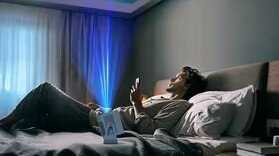
2. The Brightness Trap: Brighter Isn’t Always Better—Adaptability is Key
Many people assume "brighter means clearer," but this is a major misconception when it comes to eye care! Projectors generally have lower brightness than TVs, but this "low-brightness advantage" actually prevents excessive glare in normal lighting conditions. Some users have tested this: during the day, with thin curtains drawn and the projector set to medium brightness, the image remains clear and gentle on the eyes. At night, with a small night light on and the brightness turned down low, there’s zero eye strain. What’s more, high-quality projectors now feature auto-brightness adjustment, using ambient light sensors to adapt in real time—no need for manual tweaking.
In comparison, even at the lowest brightness setting, the self-illuminating nature of TVs keeps eye muscles tense. To make matters worse, some TVs' "low blue light mode" relies on software-level blue light reduction, which often results in a yellowish tint. This forces your eyes to work harder to adjust, ultimately causing more fatigue. Here’s a simple way to check if the brightness is right: if you can see details clearly without any "stinging" sensation, you’ve found the optimal setting. If your eyes feel warm after prolonged viewing, the brightness is too high—turn it down immediately!
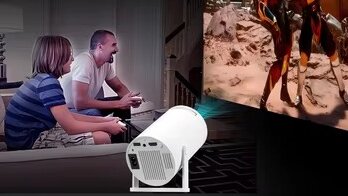
3. The Distance Advantage: Large Screens Encourage "Automatic Relaxation"
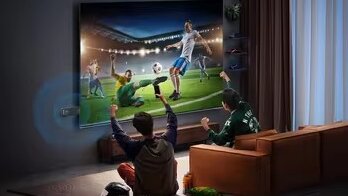
Another eye-friendly benefit of projectors lies in their "adjustable large screen." Projectors can easily display 100 inches or more, and with such a large screen, you naturally sit farther back. For my 100-inch screen, the optimal viewing distance is 2.5–3 meters—a range that allows your eye muscles to relax, reducing ciliary muscle fatigue.
When we used a 55-inch TV, my child would always inch closer, within a meter of the screen. With the projector, he now willingly sits in the middle of the couch without constant reminders to "move back." In contrast, TVs have fixed screen sizes. In smaller homes, a 55-inch TV often ends up too close to the viewer (e.g., less than 1.5 meters away), forcing the eyes to strain to focus. Over time, this can contribute to worsening nearsightedness.
Here’s a practical formula:
Optimal Viewing Distance = Screen Diagonal Length × 1.5–2
- For a 100-inch projector (diagonal ≈ 2.5 meters), the ideal distance is 3.75–5 meters.
- For a 55-inch TV (diagonal ≈ 1.4 meters), the minimum distance should be 2.1 meters.
You can use this to calculate the best setup for your space!
II. Pitfall Avoidance Guide: Using Devices Incorrectly Turns Eye Protection into Eye Strain!
It must be emphasized that projectors are more eye-friendly only when used correctly. Falling into these two common pitfalls can turn even the most eye-friendly device into a source of strain!
1. Pitfall 1: Using Maximum Brightness in Total Darkness
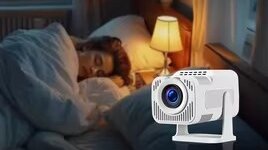
I once tried watching a movie with all lights off and the projector brightness set to maximum. In less than half an hour, my eyes felt dry and started tearing up. I later learned that in complete darkness, our pupils dilate, allowing intense bright light to directly stimulate the retina—which can be even more harmful than watching TV. The correct approach is to **keep a soft ambient light on (avoid direct light on the screen) and set brightness to medium or lower** during nighttime viewing. This protects your eyes without compromising the viewing experience.
2. Pitfall 2: Sitting Too Close to the Screen
Even with a projector, watching from within 1 meter doubles the strain on your eyes as they struggle to focus on a large image up close. When my child once curiously stepped right up to the screen, I quickly stopped her and said, “You need to stand at least as far back as Daddy’s height!”—using a relatable reference to help her remember a safe distance.
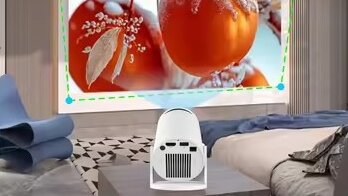
That said, TVs aren’t completely beyond redemption when it comes to eye care:
- Enable hardware-level low blue light mode (not the software-based yellow-tint version)
- Maintain a proper viewing distance
- Take a 5-minute break every 40 minutes of viewing
These habits can help reduce harm. However, direct light exposure from TVs is inherently more stimulating than reflected light from projectors. For long-term use, projectors remain the more reassuring choice.
III. Pro Tips: 3 Subtle Details to Double Eye Protection
Beyond choosing the right device, these practical tips—tested and proven effective—can significantly enhance visual protection:
1. Manage Viewing Time
Whether using a projector or TV, avoid continuous viewing for more than 1 hour, especially for children. Try the "30-Minute Break Rule": pause after 30 minutes of viewing, have your child stand up and look into the distance for 5 minutes, or perform a simple set of eye exercises to relieve strain.
2. Adjust Ambient Lighting
Avoid direct bright light (like sunlight) shining onto the screen, and refrain from watching in complete darkness. During daytime projector use, close a sheer curtain to diffuse light. At night, use soft, low-intensity ambient lighting to help your eyes transition comfortably between brightness levels.
3. Clean Devices Regularly
Dust on projector lenses or TV screens can blur the image, forcing your eyes to work harder to focus and increasing fatigue. Clean the projector lens monthly with a specialized cloth, and gently wipe the TV screen with a slightly damp soft cloth to maintain clear image quality.
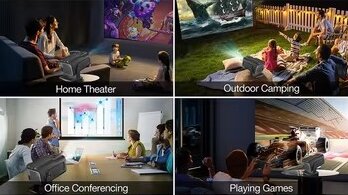
IV. Editor's Picks: 2 Eye-Friendly Must-Haves — Worry-Free Choices for Every Budget
To wrap up, here are three highly recommended products that align perfectly with our "eye care" theme, covering a range of budgets to suit your needs:
1. ISMARTX11S: The Budget-Friendly All-Rounder
Perfect for first-time buyers! With its sleek, portable design and H713 chip, this model delivers 200 ANSI lumens of gentle brightness – ideal for nighttime viewing without eye strain. Even during daytime use with curtains drawn, it maintains clear image quality with smooth performance for streaming dramas and sports events. A super cost-effective choice for renters and small families.
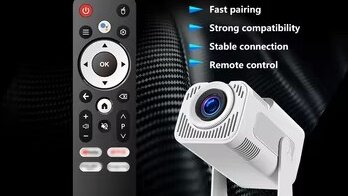
2. ISMARTX14-V1: The Mid-Range Powerhouse
The ultimate mid-tier pick! Equipped with an Amlogic T950S chip and 1080P resolution, its 500 ANSI lumens provide vibrant clarity even in daytime without closing curtains. Superior color accuracy prevents the discoloration common in ordinary projectors – perfect for children's online classes and elderly family members' entertainment needs.
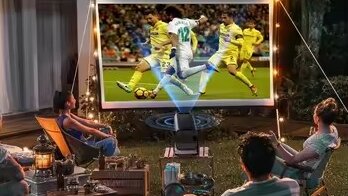
Projectors outperform TVs in eye protection through three key advantages: reflected light imaging, optimized lower brightness, and natural viewing distance. Combined with proper usage habits, they significantly reduce visual fatigue. We hope this guide helps you make an informed choice – achieving both immersive viewing and lasting eye comfort!
Name: Janice
Email: sales11@ihomebox.com
Tel/Whatsapp: +86 19926651189